For merchants
Sell on Trintrin. Hear every order.
Customers near you order from your shop in the Trintrin app. A bell rings for every new order — and the tools to run the shop are right behind it: stock, offers and your monthly profit.
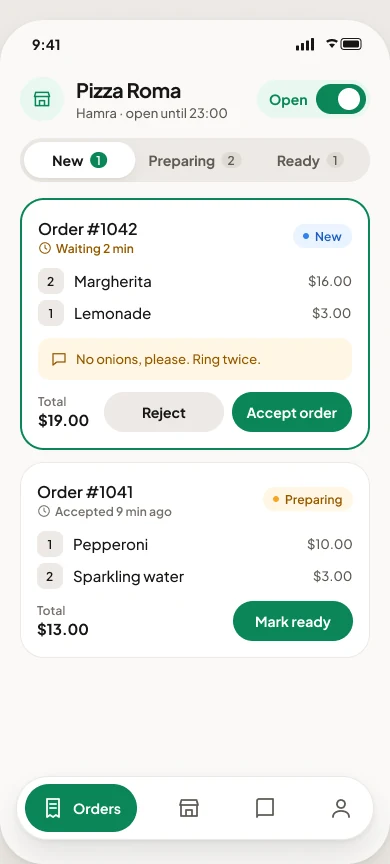
Tools
Everything behind the counter
Run the shop in the same app you take orders in.
The new-order bell
A ring you can’t miss, on your phone, for every new order. Accept it in one tap.
Stock that keeps count
Receive, count and write off. Accepted orders take stock off by themselves.
Scan barcodes
Find or add a product by scanning its barcode, at the counter or in the stockroom.
Expiry dates
See what expires this week, and put it on offer before it’s thrown away.
Offers
A percent or an amount off a product or a whole category — now, or scheduled.
Purchases and expenses
Record what you buy from suppliers and what the shop costs to run, in $ or LBP.
Profit and loss
Your monthly profit, ready to send to your accountant as a PDF or CSV.
Alerts
Running low, sold out, expiring soon — and a summary at closing time.
In the app
Your business at a glance
Sales against last month, what sells, what is running low, and what you made.
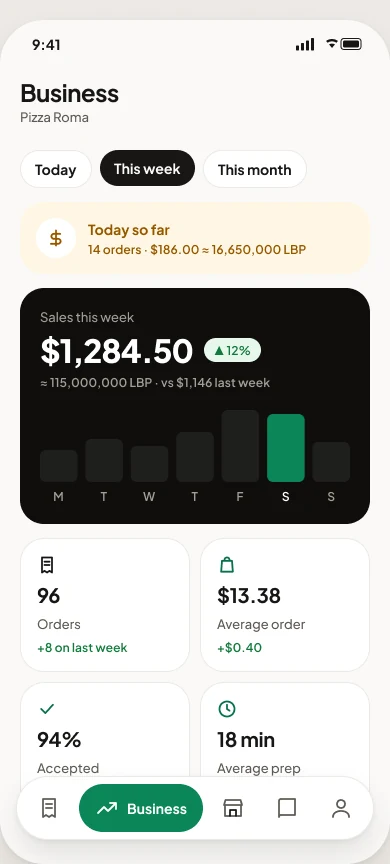
Business
Sales, top sellers and your busiest hours
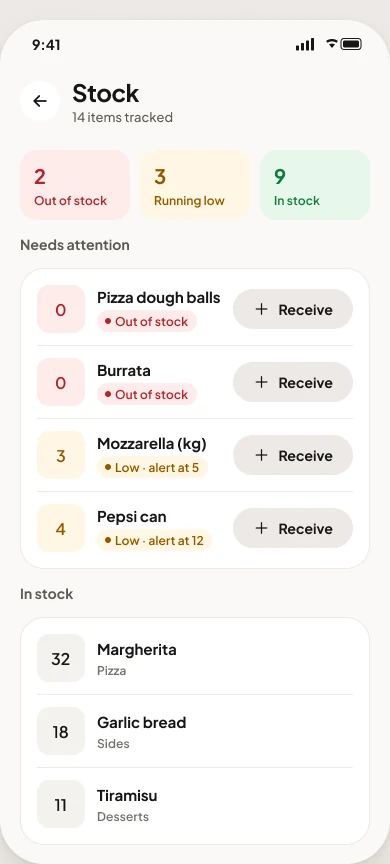
Stock
Receive, count and write off
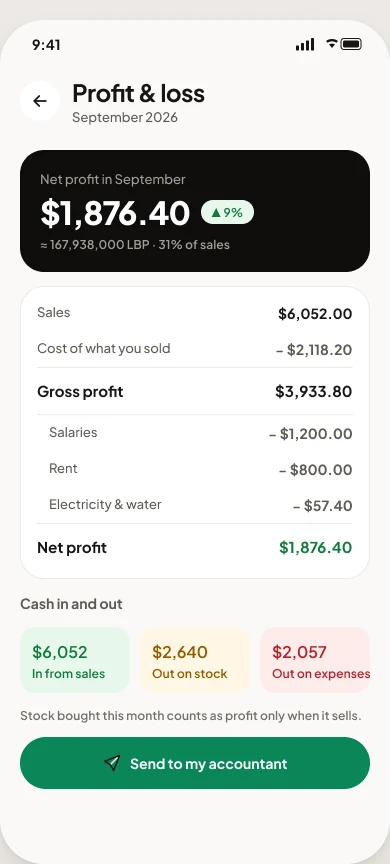
Profit & loss
Ready to send to your accountant
How to join
Ready in about a working day
Five steps from the app to your first order.
Get the app
Coming soon to iPhone and Android.
Sign in with your phone
A code by text message. No password to remember.
Choose Merchant, add documents
Your national ID, trade licence and bank details.
We review it
Usually within one working day.
Publish your shop
Add your menu, hours and minimum order, and go live.
Questions
What merchants ask us
What does it cost to sell on Trintrin?
Message us on WhatsApp and we will explain the fees for your shop before you start.
Who delivers my orders?
Trintrin drivers near your shop collect each order when it is ready, and the customer follows them live.
Can I use it for counter sales too?
Yes. Scan a product’s barcode to take a counter sale off your stock, so the count stays right.
Which currency do I work in?
Prices are in dollars. Purchases and expenses can be entered in lira and are converted at today’s rate.
Ready to open your shop on Trintrin?
Message us on WhatsApp and we will help you set it up — menu, hours and all.